
ComfyUI使用教程
更新: 12/21/2024 字数: 0 字 时长: 0 分钟
说明
以下为基于秋叶ComfyUI使用,其他版本ComfyUI功能类似;
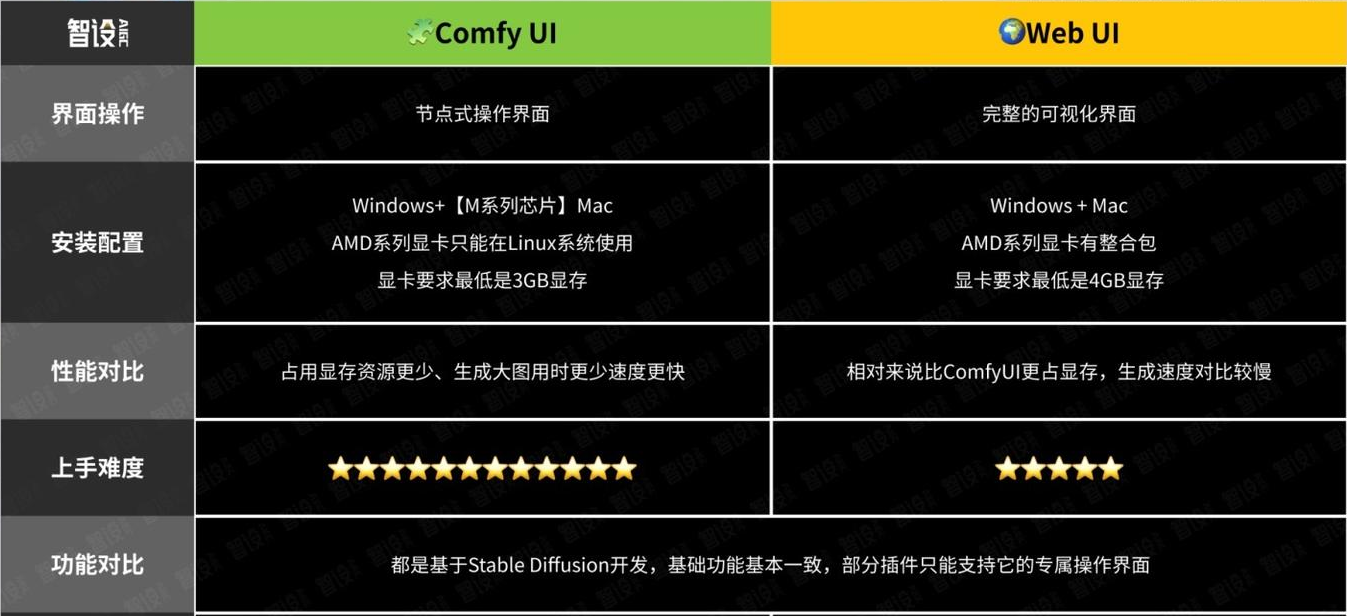
与webui对比
下载地址📥
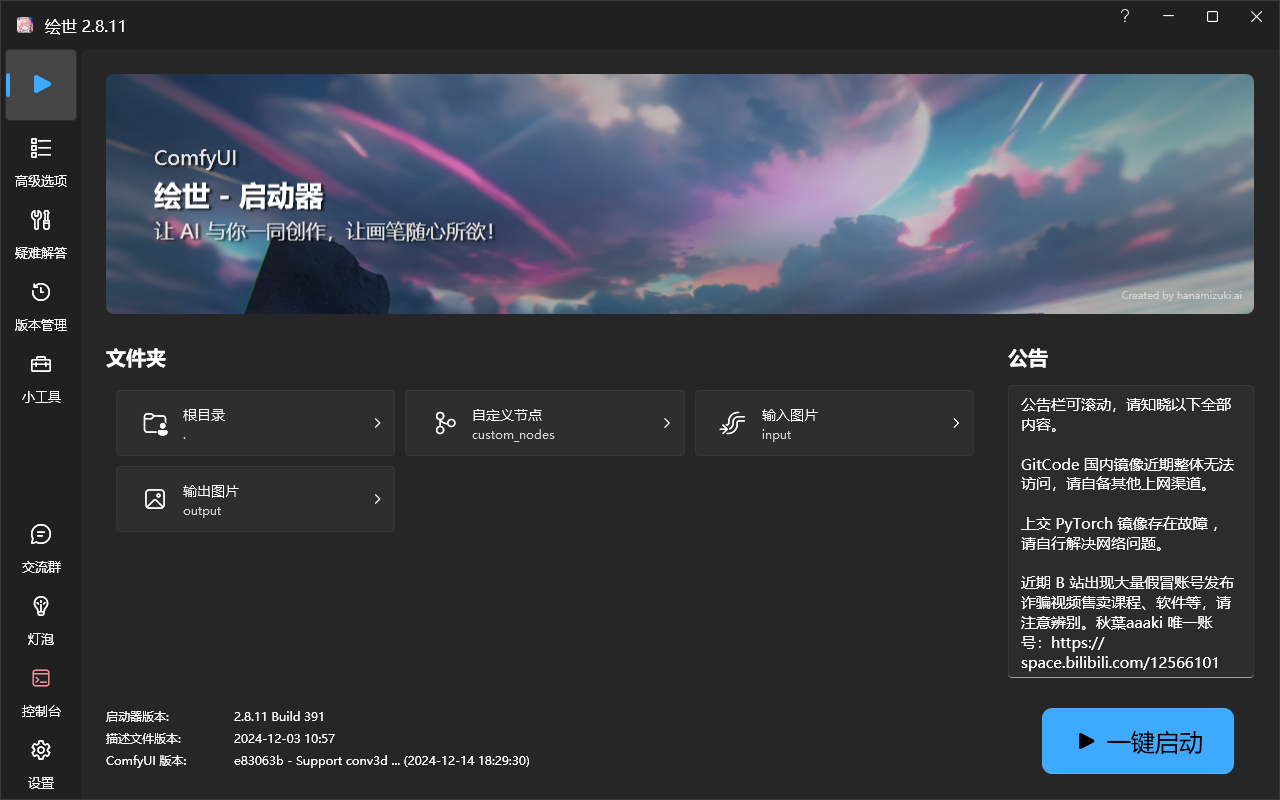
秋叶版
原版
操作说明🔧
基础界面
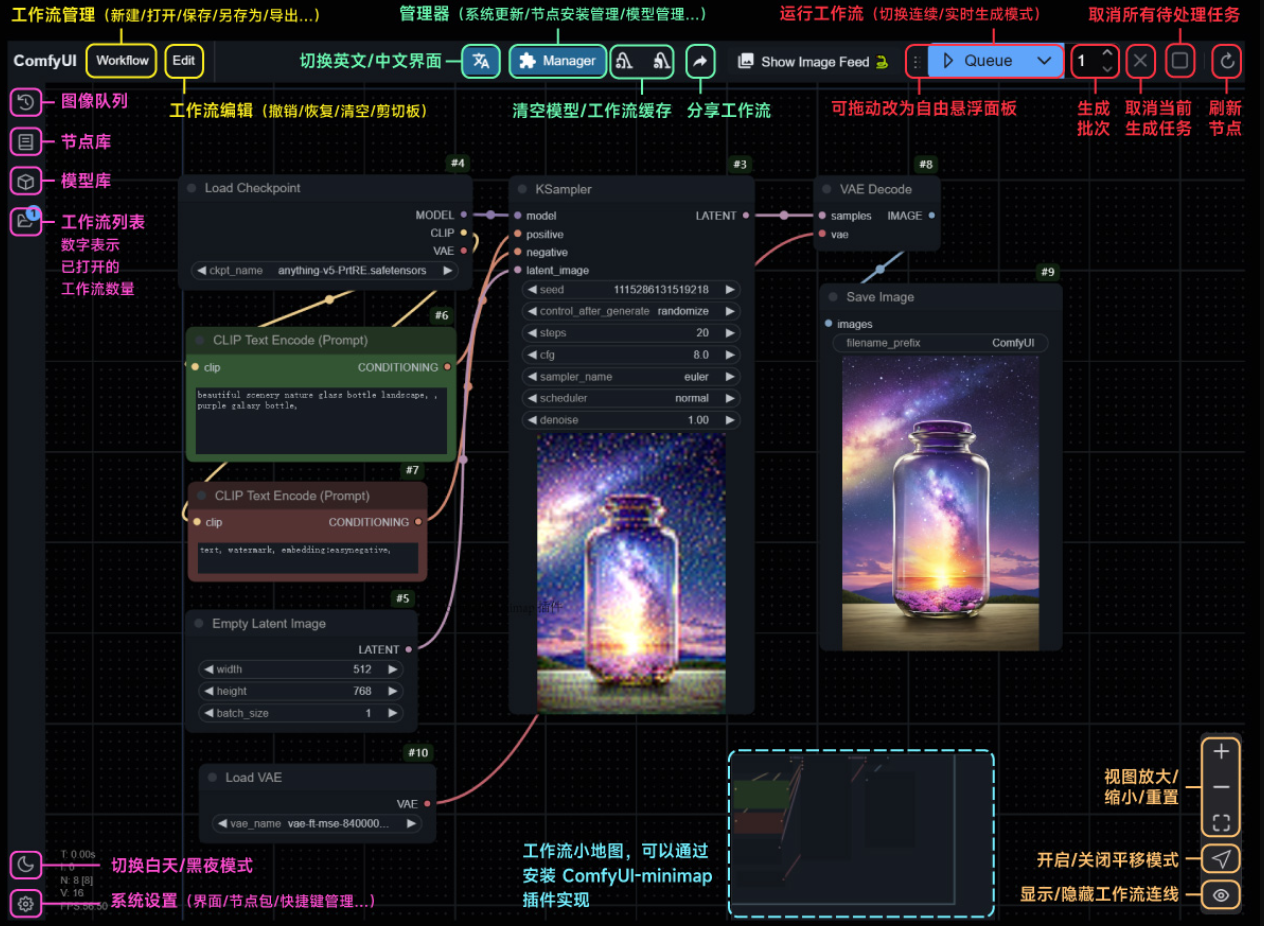
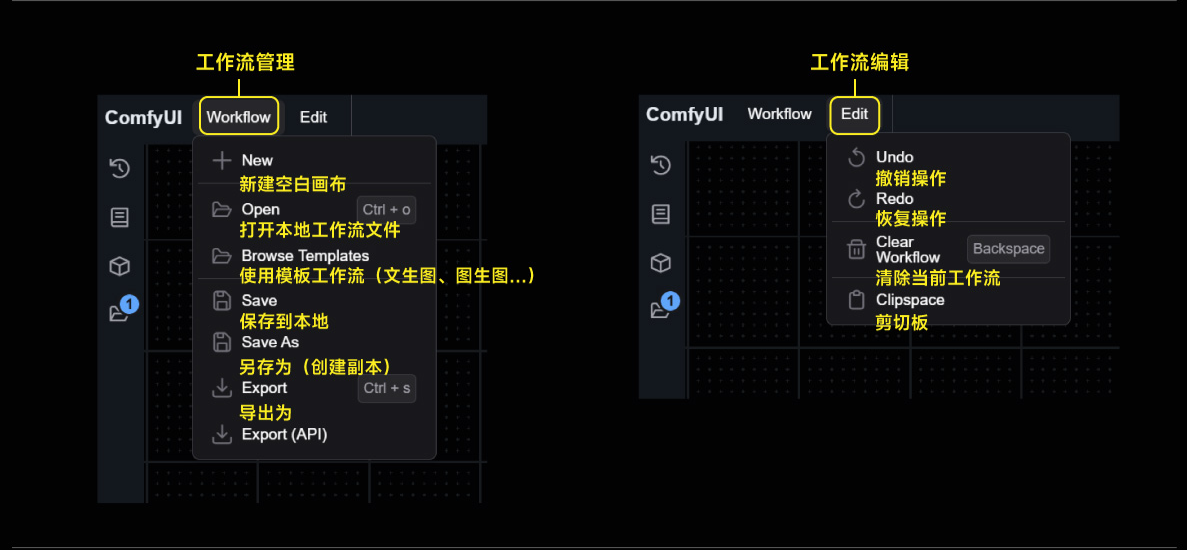
工作流管理
保存路径
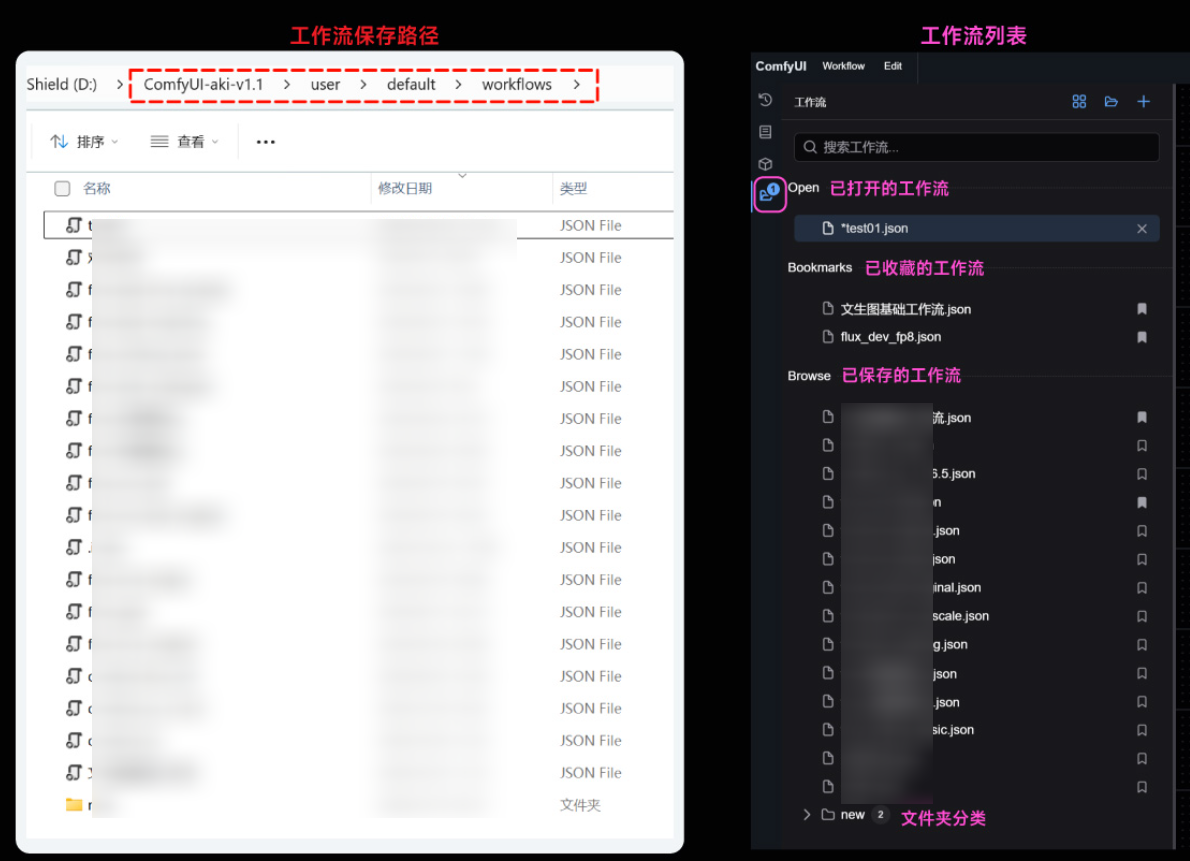
节点库
生成管理
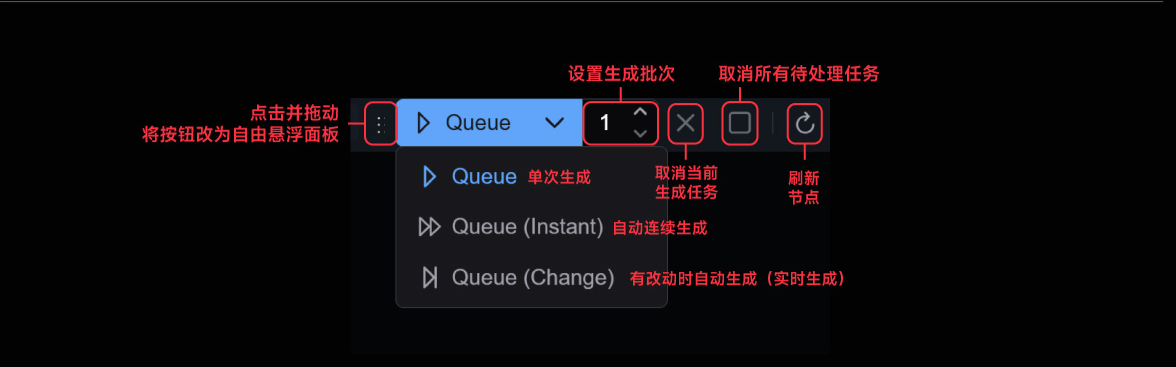
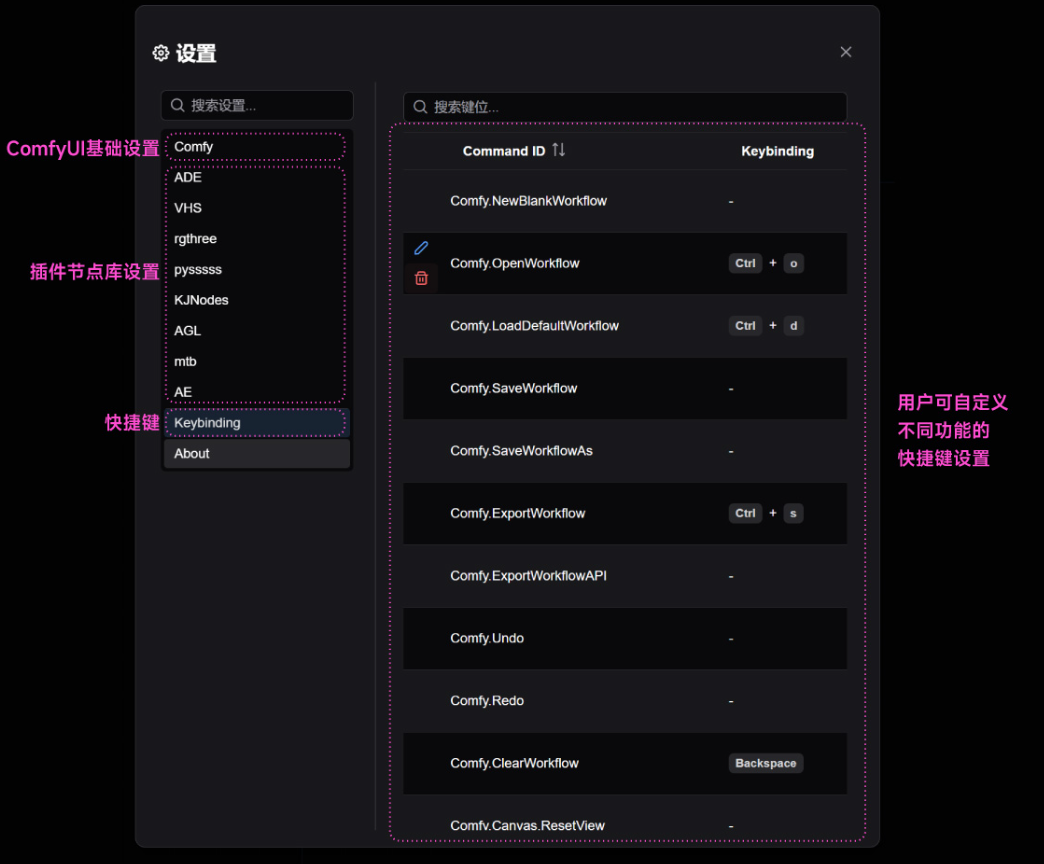
设置管理
- ComfyUI 现在支持自定义快捷键设置了。在「Keybinding」版块中,你可以浏览目前所有支持快捷键的功能,也可以将其修改为任何你喜欢的快捷键。
代理设置🌏
- 使用
科学上网,默认会代理所有请求,如果你发现git或包安装报错,可以尝试进行设置
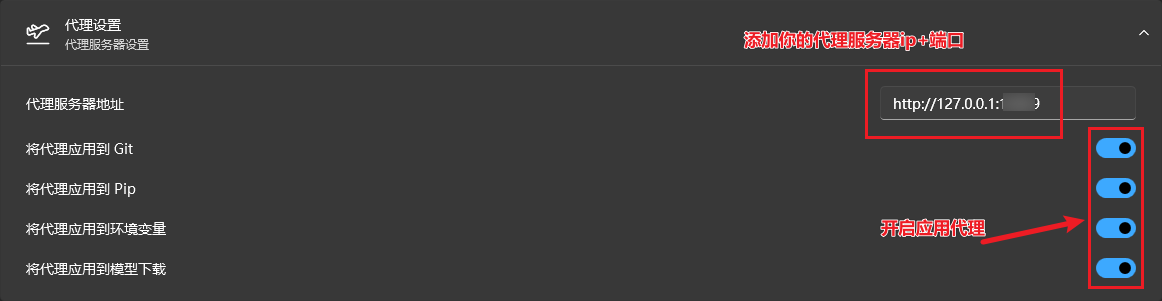
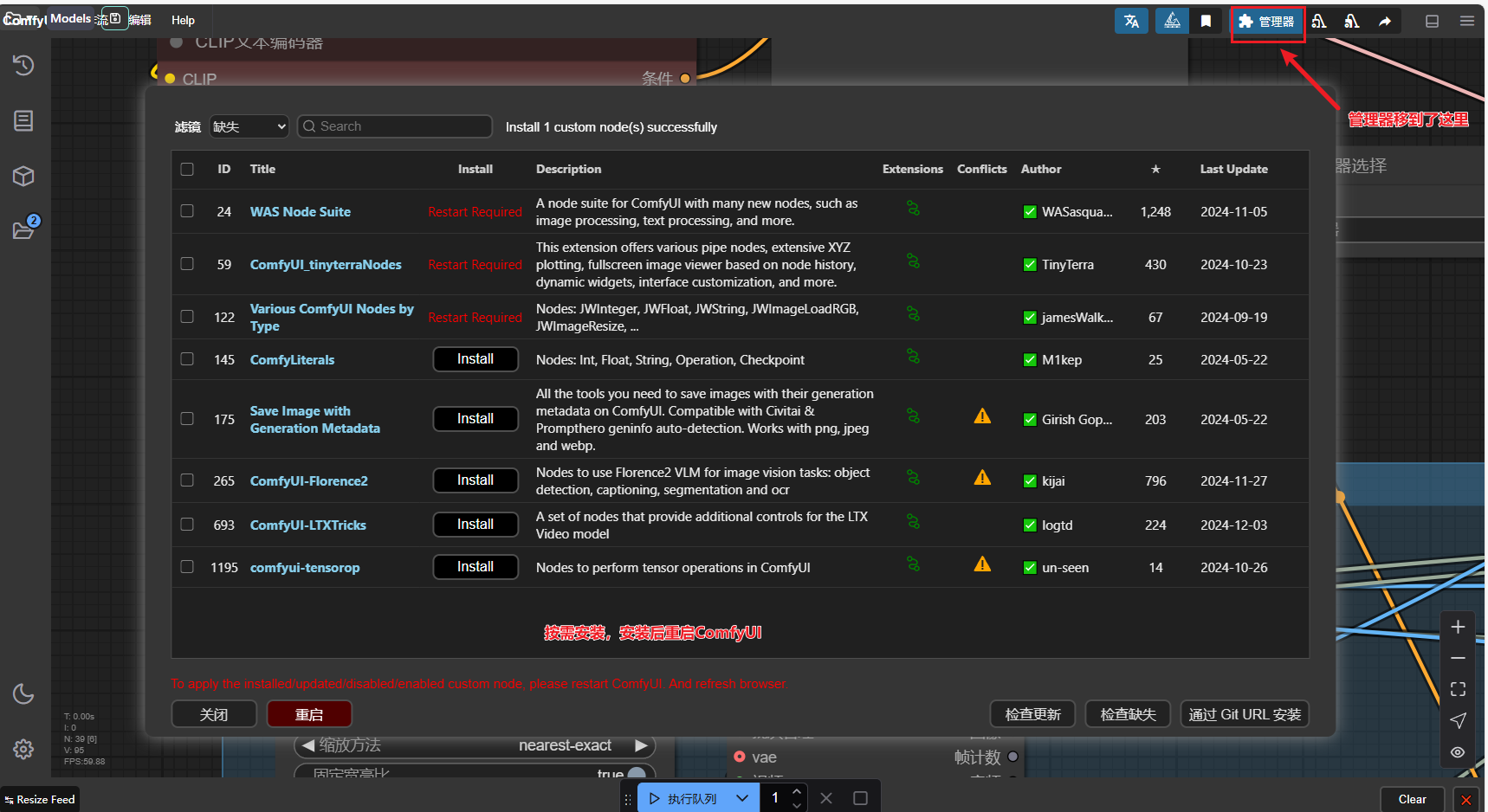
包安装
- 最新版的
包安装,旧版类似
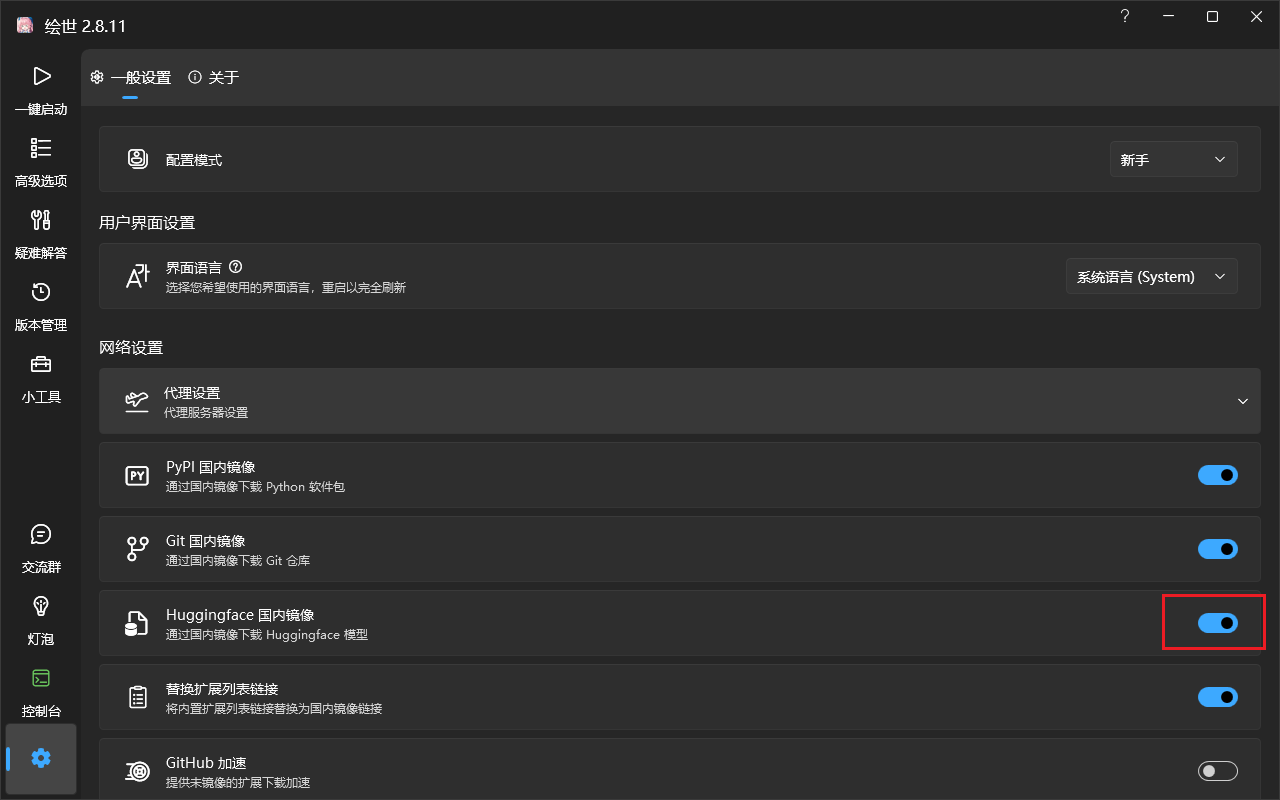
设置huggingface镜像
与WebUI共享模型🗂
进入到 ComfyUI 根目录,找到这个「Models」文件夹,双击进去。
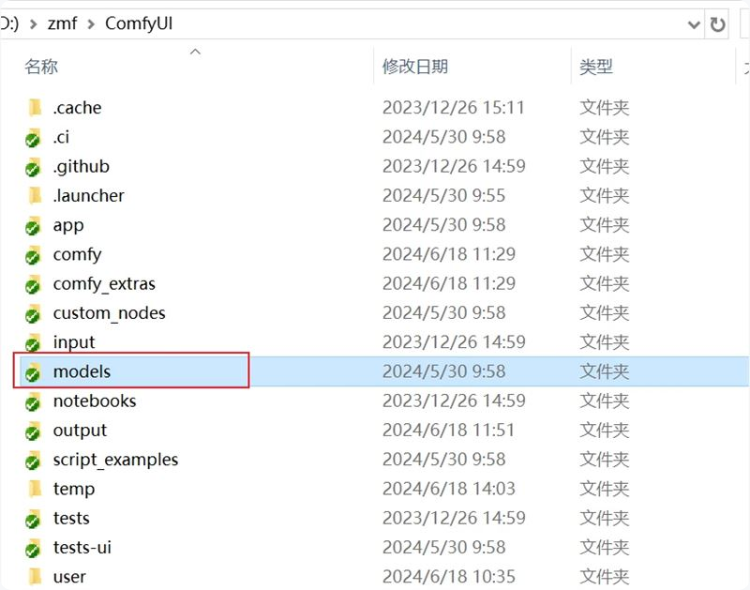
第一步
同样,我们还是打开 ComfyUI 根目录,找到这个「extra_model_paths.yaml.example」文件
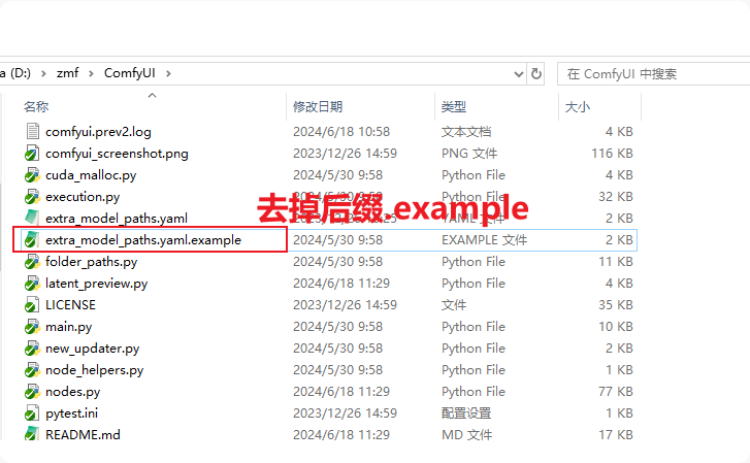
第二步
打开刚刚修改后缀的文件,修改路径,把base_path改成你sdwebui的安装路径
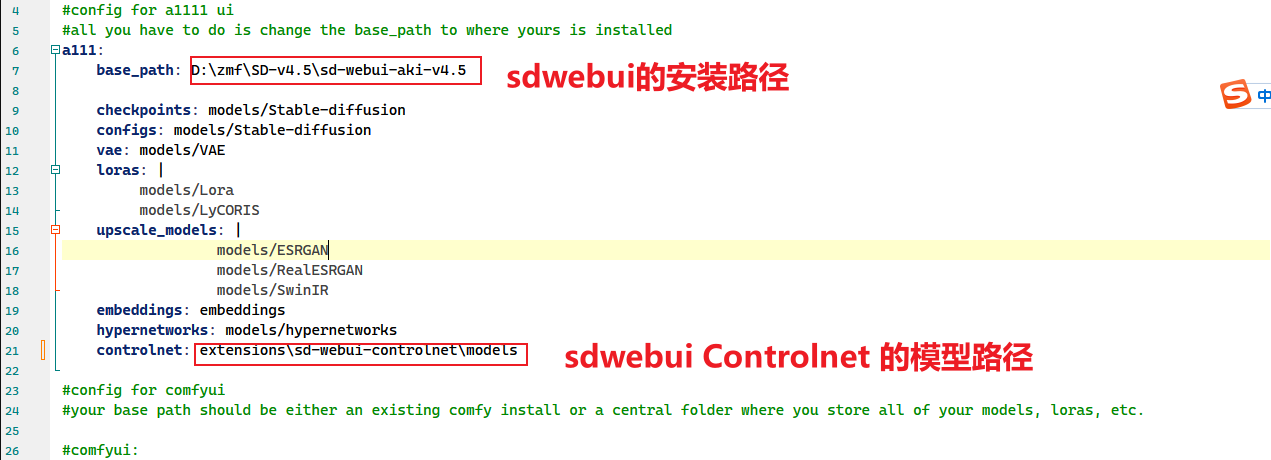
第三步
再次启动 comfyUI 就可以看到已经可以使用 WebUI 中的模型
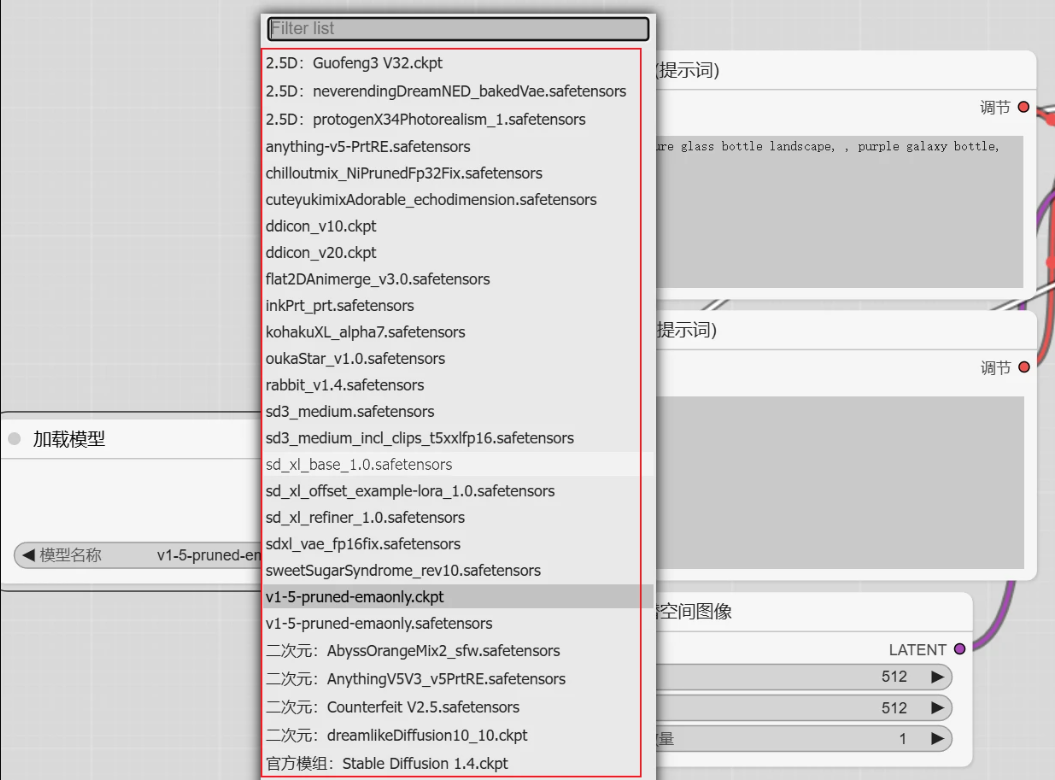
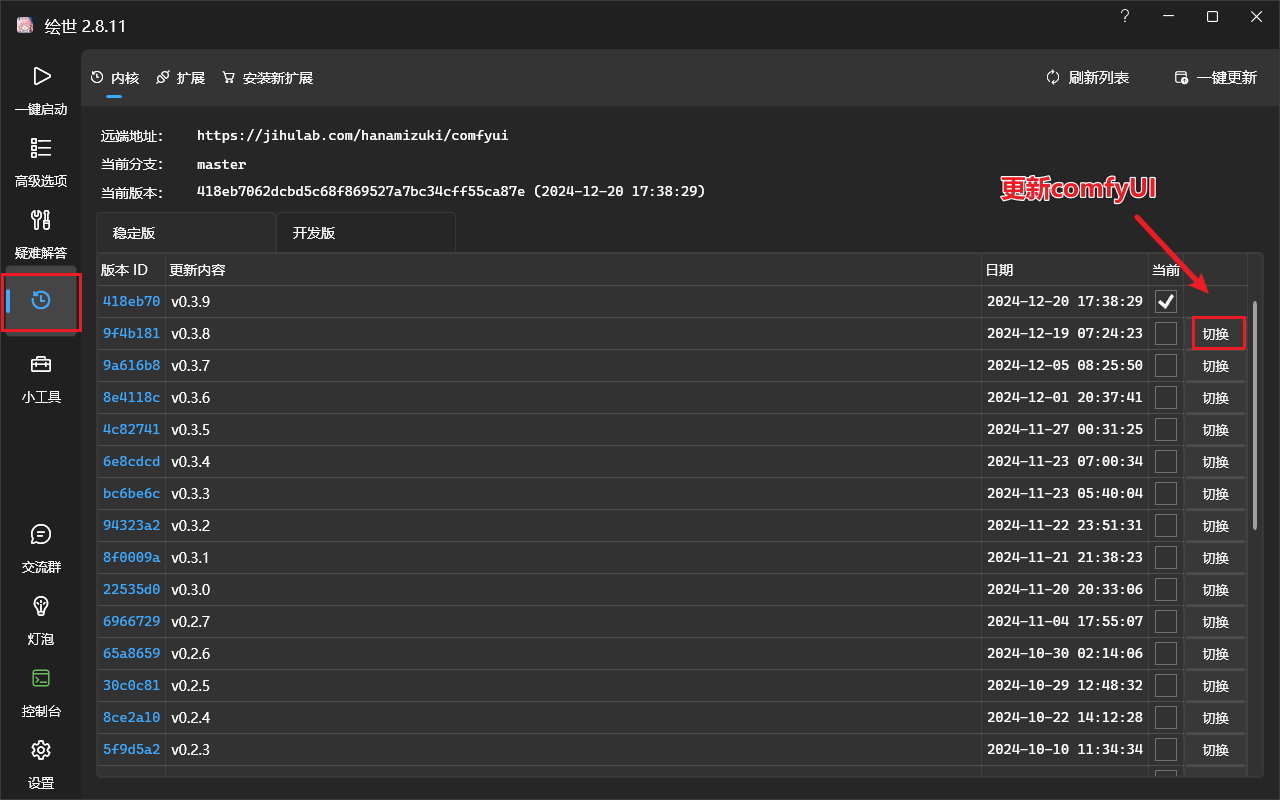
更新ComfyUI
更新Comfy UI可以支持更多的原生支持,可能比一些第三方的ComfyUI扩展性能或功能更好
例如:Mochi、Hunyuan等ComfyUI官方原生支持
官方原生支持示例
- 地址:ComfyUI Examples
- 目前支持的示例(2024-12-20):
- “Hires Fix” aka 2 Pass Txt2Img
- Img2Img
- Inpainting
- Lora
- Hypernetworks
- Embeddings/Textual Inversion
- 图片放大(ESRGAN, etc..)
- Area Composition
- Noisy Latent Composition
- ControlNets and T2I-Adapter
- GLIGEN
- unCLIP
- SDXL
- SD3
- Model Merging
- 3d
- LCM
- SDXL Turbo
- Stable Cascade
- AuraFlow
- HunyuanDiT
- Flux
- Edit/InstructPix2Pix Models
- Stable Video Diffusion
- Mochi
- Lightricks LTX-Video
- Hunyuan Video
- Audio Models
快捷键⌨
Keybind Explanation Ctrl + Enter Queue up current graph for generation Ctrl + Shift + Enter Queue up current graph as first for generation Ctrl + Alt + Enter Cancel current generation Ctrl + Z/Ctrl + Y Undo/Redo Ctrl + S Save workflow Ctrl + O Load workflow Ctrl + A Select all nodes Alt + C Collapse/uncollapse selected nodes Ctrl + M Mute/unmute selected nodes Ctrl + B Bypass selected nodes (acts like the node was removed from the graph and the wires reconnected through) Delete/Backspace Delete selected nodes Ctrl + Backspace Delete the current graph Space Move the canvas around when held and moving the cursor Ctrl/Shift + Click Add clicked node to selection Ctrl + C/Ctrl + V Copy and paste selected nodes (without maintaining connections to outputs of unselected nodes) Ctrl + C/Ctrl + Shift + V Copy and paste selected nodes (maintaining connections from outputs of unselected nodes to inputs of pasted nodes) Shift + Drag Move multiple selected nodes at the same time Ctrl + D Load default graph Alt + + Canvas Zoom in Alt + - Canvas Zoom out Ctrl + Shift + LMB + Vertical drag Canvas Zoom in/out P Pin/Unpin selected nodes Ctrl + G Group selected nodes Q Toggle visibility of the queue H Toggle visibility of history R Refresh graph F Show/Hide menu . Fit view to selection (Whole graph when nothing is selected) Double-Click LMB Open node quick search palette Shift + Drag Move multiple wires at once Ctrl + Alt + LMB Disconnect all wires from clicked slot
常见问题
comfyui安装节点时报错
Cmd('git') failed due to: exit code(128)
针对这种问题,如果你用的是
Clash或v2ray等代理,则在setting的System Proxy界面,将Specify Protocol打开就OK了。
This action is not allowed with this security level configuration.
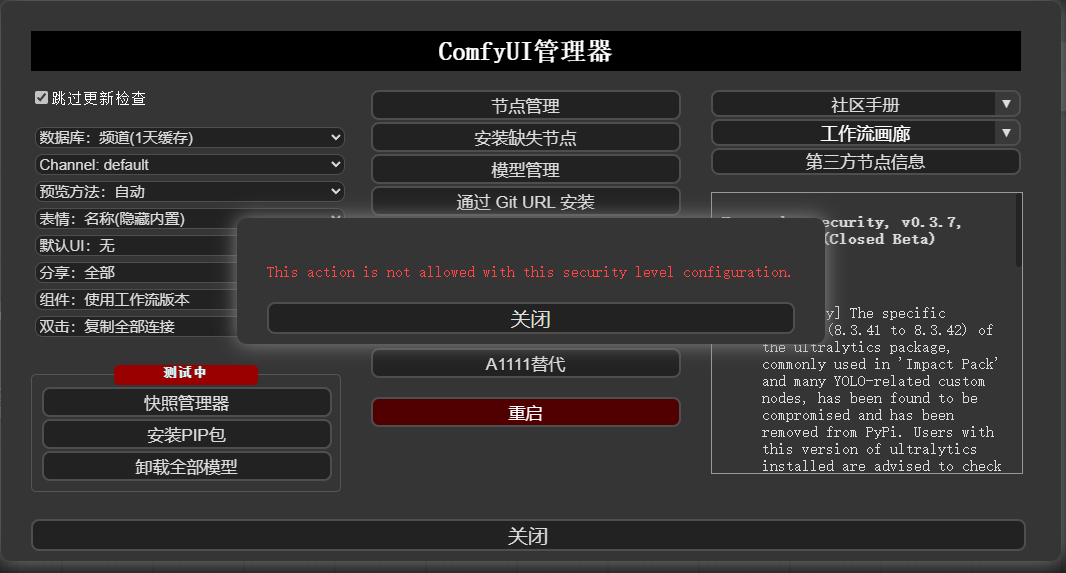
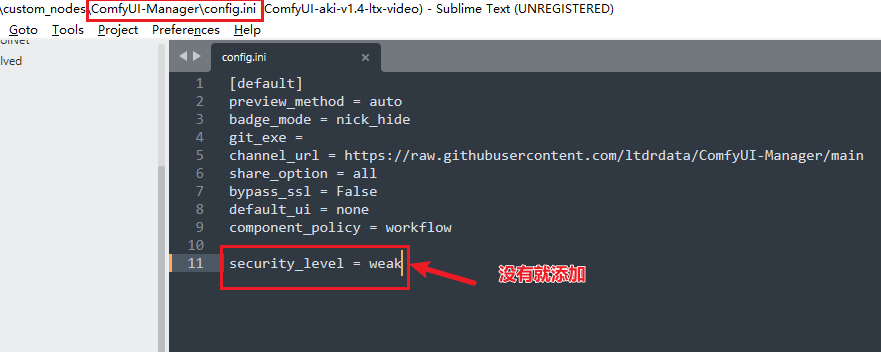
- 在
ComfyUI\custom_nodes\ComfyUI-Manager\config.ini里把security_level = normal改为security_level = weak后,重启ComfyUI就可以了。